Creating a blueprint
Networks expect three blueprints that will be used to generate pipelines. The expected types are:
- Relay - deploys to the relay node
- Relay client - deployes to the relay node for every in the network
- Client - deploys to every node in the network
NanoPing application comes in with predefined Default blueprints so getting started is really easy.
To create a new blueprint from scratch go to Networks section, find and click Create blueprint on the right.

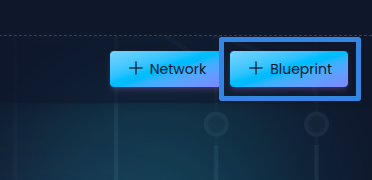
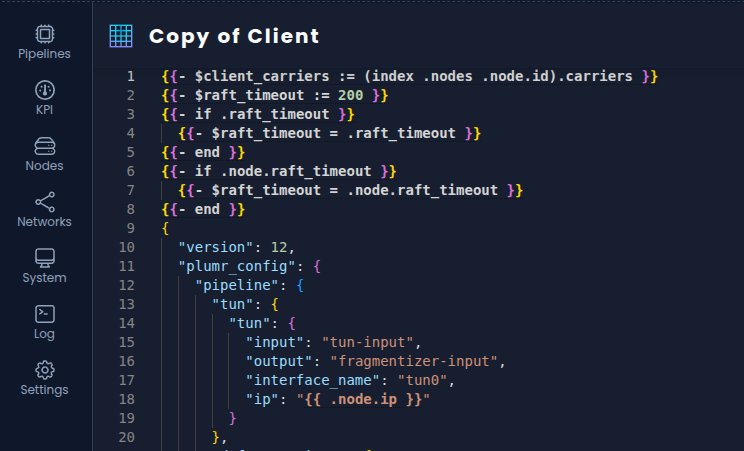
Text editor will open and allow to define the blueprint using annotations compliant with golang templating engine, quick reference for the syntax can be find in Blueprint syntax.
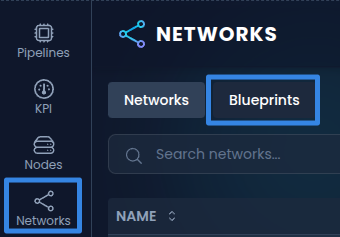
To use one of the provided blueprints as a base simply go to Networks section and switch to Blueprints tab.
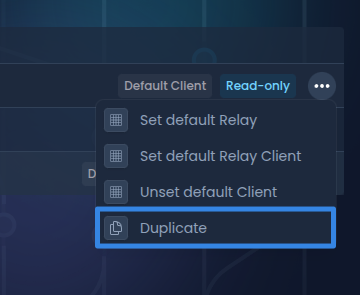
Then use Duplicate option to create a copy of a blueprint so it can be edited.
Parameters
NanoPing application provides set of parameters that can be used within a blueprint:
- node
- id - node id (uuid)
- numeric_id - node assigned index (uint32)
- ip - assigned virtual network ip address (string)
- carriers - array of carriers
- numeric_id - carrier assigned index (uint32)
- address
- ip - carrier ip (string)
- port - carrier port (uint32)
optional**external_ip - carrier external ip (string)
optionalinterface - interface name (string)optionalbandwidth_priority (uint32)
- nodes - array of nodes with he same fields as above
Default blueprints
To set a blueprint as one of the default blueprints. Go to Networks section, switch to Blueprints tab.
Select Set default {type} to set said blueprint as default blueprint for {type}.
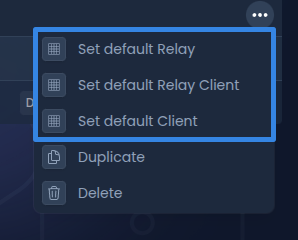
Blueprint syntax
A quick reference for html/template and text/template.
Basic syntax
Actions are wrapped in double curly braces {{ }}.
{{/* this is a comment */}}

{{ .node.id }} // output a variable

{{- .node.ip -}} // trim surrounding whitespace
Variables
{{ $name := .UserName }} // declare a variable

Hello, {{ $name }}! // use of variable
Control flow
if / else
{{ if eq .numeric_id 1 }}
  Special welcome, node 1!
{{ else if eq .node.numeric_id 11 }}
  Sad welcome, node 11!
{{ else }}
  Welcome {{ .node.numeric_id }}
{{ end }}
range
{{ range .nodes }}
  {{ .ip }}
{{ end }}

{{ range $i, $v := .nodes }}
  {{ $i }}: {{ $v }}
{{ end }}
with
with allows you to check if the field is not empty
{{ with .id }}
  Id: {{ .id }}
{{ else }}
  Id not found.
{{ end }}
Functions
{{ len .nodes }} // amount of nodes
{{ index .nodes 0 }} // select first element of nodes
{{ printf "%s is %d" .node.id .node.numeric_id }} // format string

{{ add 1 2 }} // sums to intigers, so the outcome is 3
{{ sub 2 1 }} // subtracts b from a, so the outcome is 1
{{ mul 3 3 }} // multiples a by b, so the outcome is 9
{{ div 9 3 }} // divides a by b, so the outcome is 3

{{ generateUUID }} // generates a unique identifier (uuid)
{{ generateId }} // generate a unique identifier (int)